Restock
Know what you’re out of.
Restock remembers what you buy. From that it learns how often you buy each thing, and tells you what has probably run out before you are standing in the aisle wondering.
Available now for iPhone.
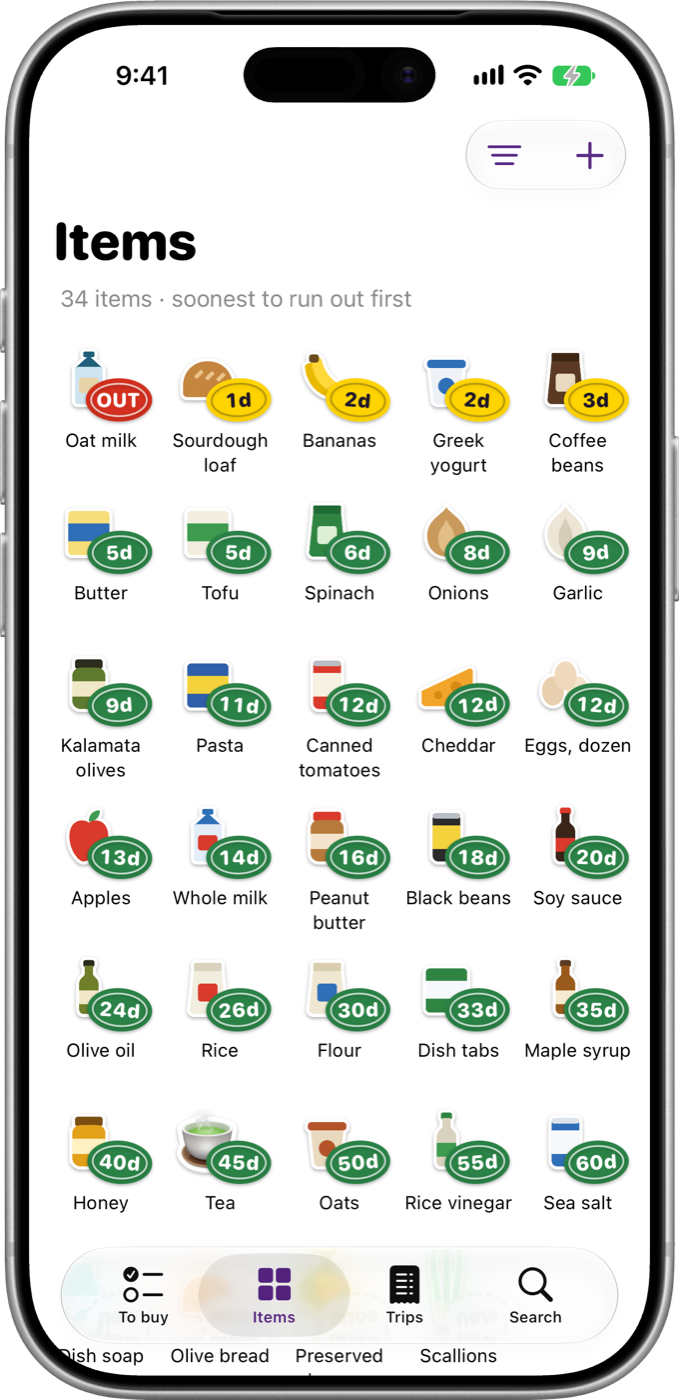
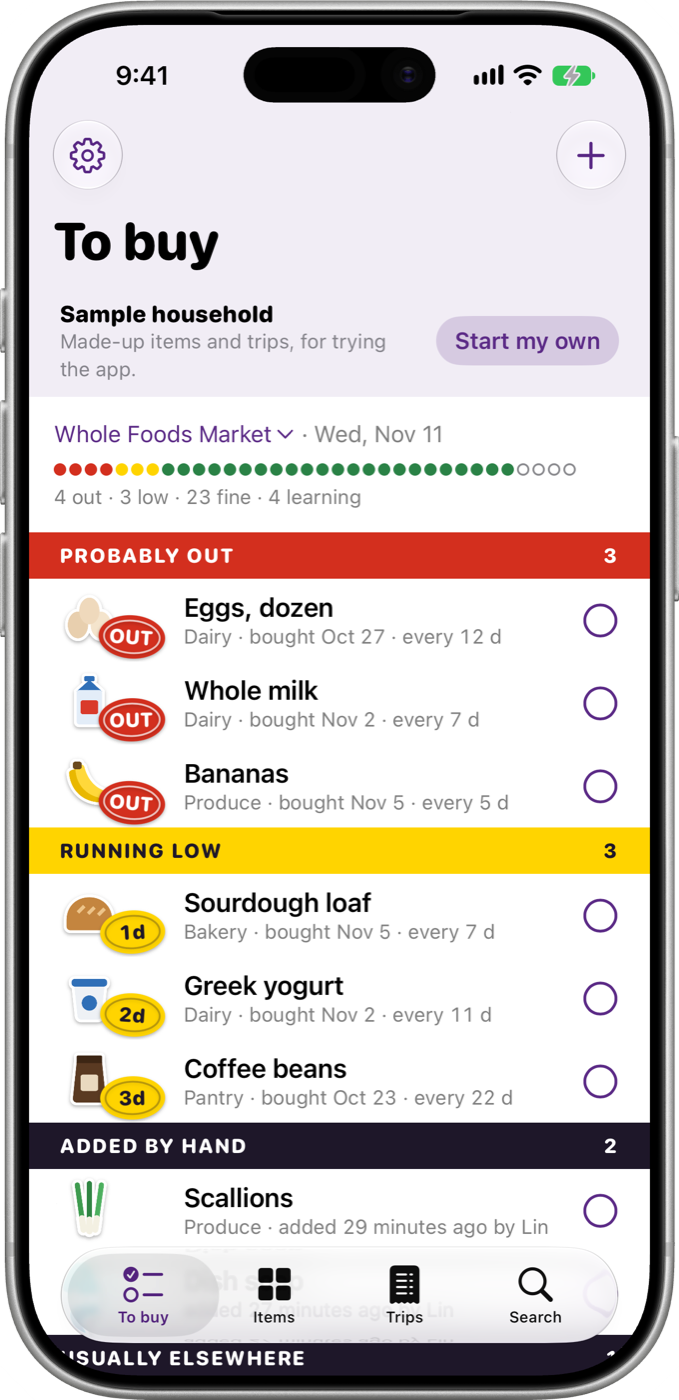
Every item carries a guess.
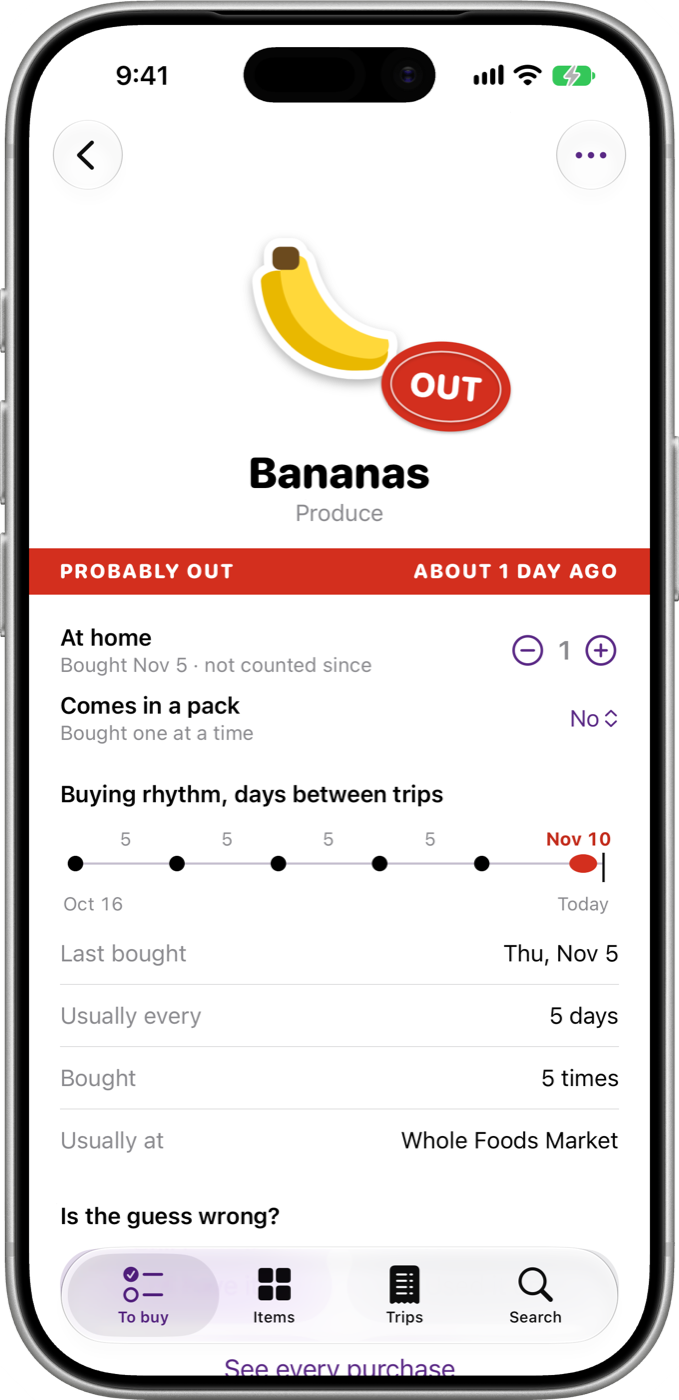
Probably out
You usually buy it more often than this. It goes on the list by itself.
Running low
About two days left, going by how long it lasted before.
Fine for now
Nothing to do. It stays off the list until it is due.
Still learning
Bought once. The second purchase turns the dashed label into a guess.
Tell it what you bought
List apps wait for you to remember. Pantry trackers make you count everything in and out. Restock only needs to know what you bought.
- Tick things off To buy as they go in the cart, then finish the trip.
- Scan a barcode to add something without typing. The box of 24 with no barcode of its own? Scan a bottle and say it comes in a pack.
- No receipt and nothing ticked? Tick or type what you remember afterwards.
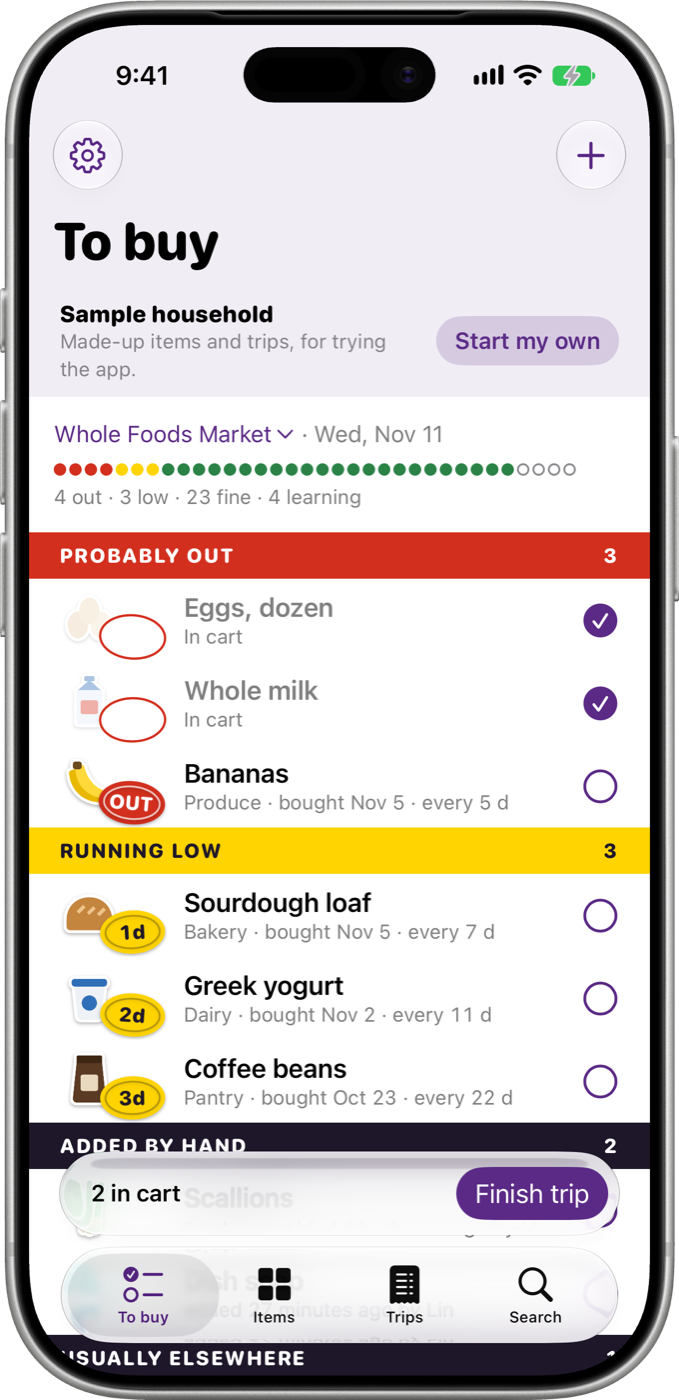
Or hand it the receipt
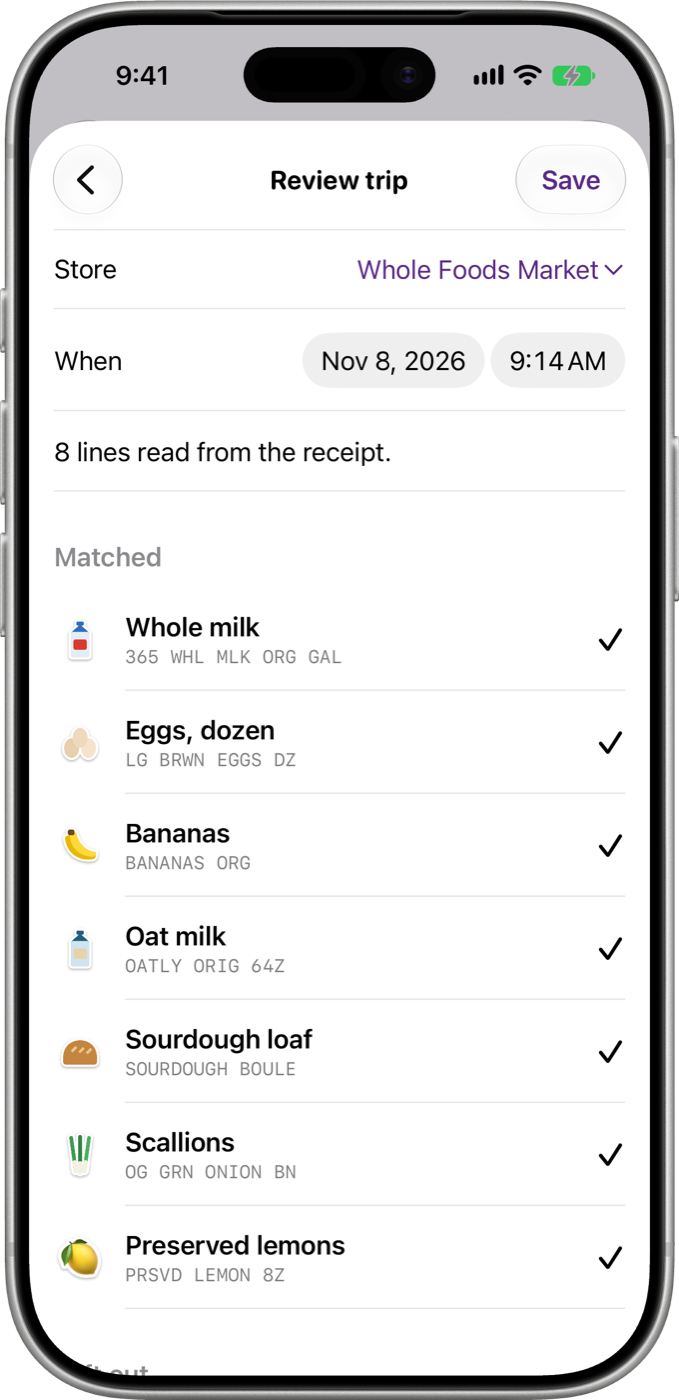
Photograph a paper receipt, or choose screenshots of a digital one. Restock reads the lines, the store and the date, and matches each line to something on your list.
- Read on your iPhone
- The text is recognised on the device. Where your iPhone has Apple Intelligence, it is asked what was bought, also on the device, and every answer is checked against the text on the receipt.
- Long orders
- An order in a store’s app can take several screenshots. Choose them in order and they are read as one receipt, with anything two of them share counted once.
- You have the last word
- Nothing is saved until you have looked. Confirm a guess, point a line at another item, leave one out, or mark it “Just this once”.
It learns how often
From the second purchase on, Restock knows how long each thing usually lasts in your house, and guesses when it has run out. The guess is on the item’s label, and the evidence is one tap away: when you last bought it, how often, how many times, and where.
To buy fills itself with what has probably run out and what is running low. Add anything else by hand, and it sits in its own band.
Correct it in one tap
A guess is a guess. When it is wrong, say so and it learns.
- “Still have it” and “Used it up”
- Two buttons on every item. No dates to edit.
- Count only what you want counted
- Most things need no counting. For the few that do, keep a number at home; it goes up when you buy.
- Packs
- Something sold by the box is counted in singles, and one buy of it is a whole pack.
- Just this once
- Something you will not buy again stays on the trip it was bought on and off your list. Nothing to delete.
A sheet of stickers
Everything Restock has learned is one sheet of stickers, soonest to run out first. Photograph something and it is cut out of its background and becomes its own sticker. Or choose a photo, look for a picture on the web, or let the item keep a sticker with its initials.
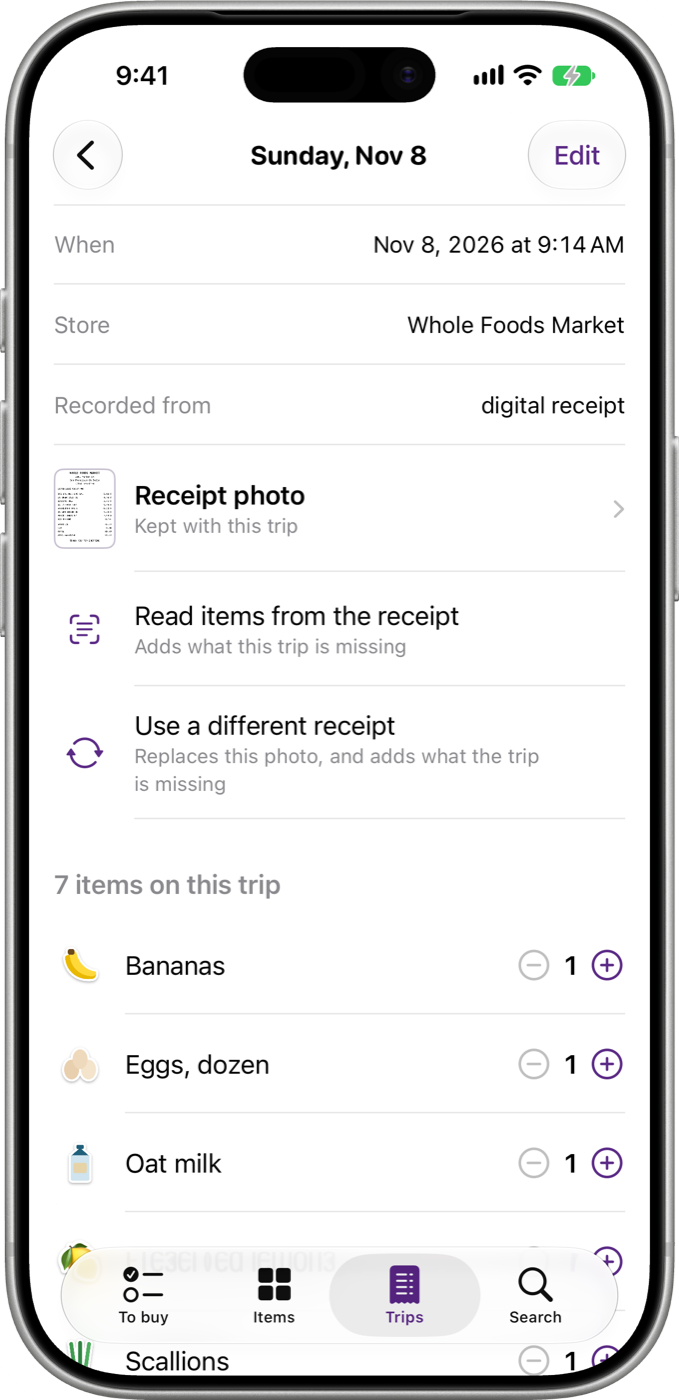
Each trip keeps the receipt it came from, to open and pinch like any photo.
One list for two
Invite your partner and you both see the same items, guesses and trips, each on your own iPhone. Either of you can tick things off, and things added by hand say who added them.
Sharing goes through iCloud, between your two Apple Accounts. It is part of Restock Pro, and the partner you invite does not pay.
What stays private
- Your list is kept on your iPhone and in your own iCloud. There is no account to create, and Restock has no server of its own.
- Receipts are read on your iPhone. No receipt is sent anywhere to be read.
- No advertising and no tracking.
- Three things do go out, and only when you use them: a barcode number to Open Food Facts to look a product up, the search words you choose when looking up an item or its picture, and an anonymous record of a Restock Pro purchase.
Restock Pro
Restock works for one person with a list of up to 50 tracked items. Restock Pro adds sharing with a partner and removes the limit, and it pays for the app’s development.
It comes as a monthly subscription, a yearly subscription, or a one-time purchase. All three unlock the same thing, and the prices are shown in the app before you buy. A subscription renews until you cancel it in your Apple Account settings.
Good to know
- Requirements
- iPhone with iOS 26 or later.
- iCloud
- Optional for one device. Needed to sync between your devices and to share with a partner.
- Camera
- Optional. A receipt or a barcode can come from a photo, and a barcode number can be typed.
- Apple Intelligence
- Optional. Without it, Restock reads receipts by its own rules.
- Product names and pictures
- Barcode lookups use Open Food Facts, an open database.
- Languages
- English, German, Spanish, French, Italian, Japanese, Korean, Portuguese (Brazil), Simplified Chinese and Traditional Chinese. Reading a receipt is built for receipts printed in English; in any language a trip can be ticked, typed or scanned.